THE PENDING DRAFT

Check for Plugins that are no longer in the Plugin Directory

February 4, 2015

If a plugin gets pulled from the official plugin directory on WordPress.org there could be several reasons for that. Could be that it just became obsolete when a new version of WordPress introduced the features it provided, could be that the developer just stopped developing it, but it could have also been deleted because serious security issues were detected with the plugin. No matter what the reason was, it means you no longer get update notifications and could potentially run into security risks later on.

Today i discovered this little plugin which checks for plugins no longer in the directory and tested it on a local copy of a client site. In addition to removed plugins it also displays if a plugin wasn’t updated in more than two years, which is also nice to know. Keep in mind that this doesn’t give you perfect safety, a plugin can still be in the directory and be outdated or insecure. But if it was removed it’s definitely a good idea to investigate further and to check for alternatives.
WP Plugin – No Longer in Directory

Solve almost no one’s problem

February 1, 2015

The chances that everyone is going to applaud you, never mind even become aware you exist, are virtually nil. Most brands and organizations and individuals that fail fall into the chasm of trying to be all things in order to please everyone, and end up reaching no one.

(Seth Godin)

It’s easy to fall into this trap. We had a similar discussion when we started working on picu some time ago and at first it felt intriguing to try and build The one and only tool for photographers™ but we quickly realized why that’s going to be a bad idea.

What really helped us to figure out what exactly we want to build, and what not, was writing down imaginary user stories of potential clients who could use our product when its finished. What problem should it solve for them, how would they use it and so on. But maybe even more important than that, we wrote down what we called “anti-userstories“. Use cases we deliberately said no to, problems that we don’t want to be able to solve, photographers workflows who will be better served with other tools.

While this seemed silly at first and was a funny exercise, it actually helped us a lot to stay focused and made a lot of our decisions along the way easier.

We are completely aware that our plugin won’t serve every photographer out there, maybe, not even most. But we hope that almost no one will be amazed.

Seth Godin – Almost no one

WordCamp Europe 2015 in Seville

January 29, 2015

Logo WordCamp Europe 2015The third WordCamp Europe will be in Seville, Spain 26 – 28 June 2015. Looks like i will spend some time in Spain this June.

In a third consecutive year the growing European community will gather together for three days of knowledge sharing, networking, having fun and creating long-term friendships.

Looking forward to it!

WordCamp Europe 2015

picu

January 28, 2015

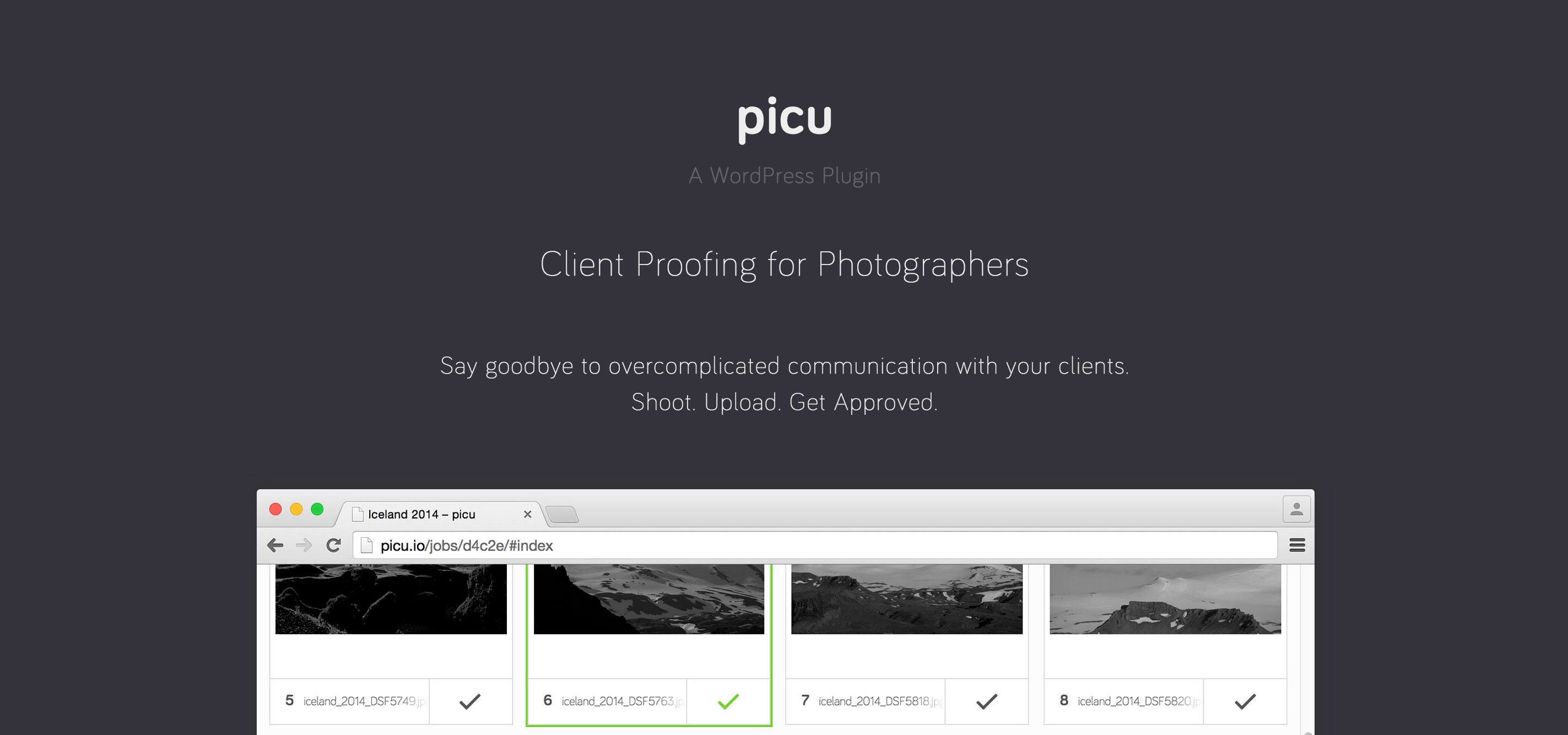
picu - Client Proofing for PhotographersWe finally announced our upcoming WordPress plugin “picu” today. It’s a client proofing solution for photographers, which intends to bridge the gap between the photo shooting and the following selection process with a client. The idea initially came up during the development of a photography website, when the client told me that he was searching for something like this for a very long time and wasn’t satisfied with any of the options available. After a bit of back an forth, Florian and I decided to give it a try and started with the development soon after.

Right now we just started with a closed alpha phase in which we will gather some further feedback from a broader range of photographers in different fields and soon we will launch a public beta. Everything’s still a bit rough around the edges and we have tons of ideas how we can improve and make this thing even more useful for photographers. But as Reid Hoffman, the founder of LinkedIn, once famously said:

If you are not embarrassed by the first version of your product, you’ve launched too late.

Let’s see how embarrassing it will be. Exciting times, stay tuned!

picu.io

BOOM

January 27, 2015

This article by Brian Krogsgard (Post Status) came just in the exact right moment to motivate me even more to finally reveal what we’ve been working on.

Like I said, I interviewed about a dozen photographers from different backgrounds. None of those interviewed felt particularly satisfied with their web workflows. There is room in this market. My question is: who will fulfill their needs?

Looks like we’re onto something. More about our little project will follow this week.

Stay tuned!

Post Status – WooCommerce is going after photography

Poststatus with a new domain and Membership Club

January 16, 2015

After a long period of silence, Brian Krogsgard relaunched Poststatus and announced a Membership Club which will launch soon and comes with all sorts of goodies. Read everything about the relaunch here and go check out that Membership Club. Poststatus didn’t take a long time until it became one of my main resources when it comes to WordPress News, so i’m very much looking forward to what he has in store for us and will probably also sign up for the Club, when it’s launched.

An Introduction to wp.media by Eric Andrew Lewis

January 14, 2015

Eric Andrew Lewis, one of the core developers behind the “new” (v3.5+) WP Media Workflow gave a talk at the WordCamp Philly about wp.media. While the video has terrible Audio quality which makes it a bit hard to understand, he gives some solid insights into how things work behind the scenes and how we can (at least somewhat) customize a Media Frame or create custom ones.

During the talk he shares a graphical representation of all the Backbone Views and Models that wp.media utilizes, which can be found here:

If you want to understand how wp.media works, you should check out Eric’s Plugin WordPress Media Javascript Guide and he also started the WordPress Media Core Developer Documentation, which i really hope he finds some time to carry on.

Show “Read More” Link only when there is more content

January 4, 2015

Normally when you post something to your blog, it shows an excerpt on the homepage together with a “Read More” Link in some form which links to the actual content.

But what if your excerpt already is the whole content you want to display and there is no more content to read. Of course you could use the_content inside your loop. That works in most situations, but in some situations you actually wan’t to check whether there is more inside the post than what you already got with your excerpt.

After a bit of fiddling around with different snippets, i came up with this solution, which still has some flaws, but works for what i used it now.

<?php if ( strlen(get_the_content()) > strlen(get_the_excerpt()) ) : ?>
  <p><a href="<?php the_permalink(); ?>" class="more-link">More</a></p>
<?php endif ?>

What it does is comparing the length of the strings of get_the_content() and get_the_excerpt() and only output our custom more link, if the content is longer.

I’m not 100% sure if this is the proper way of doing this, but it worked for me. If you know any other ways of achieving the same result, go ahead and add it in the comments.

WordPress.org Support Thread 

WordPress Admin Theme Redesign

November 22, 2013

As you may know, MP6 – the new admin interface – has finally found it’s way into core and will be part of WordPress 3.8 by default. I personally love the new design and couldn’t imagine going back, but there’s always room for improvement. George Kordas has made quite a comprehensive concept of what the admin screen could look like in the future. It is modern and brings the look and feel of iOS7 to the screen with it’s blurred backgrounds and light fonts. I especially like the media uploader screen.

As he writes on the site, he’s developing this whole thing and will be releasing it as a free plugin. Looking forward to it!

This will also be a free plugin which is currently in production.
Follow me @ twitter.com/gkordas for release date.

WordPress Admin Theme Redesign on Behance

WordPress Development and the Twelve-Factor App

November 18, 2013

The Twelve-Factor App is a set of principles to build Web-Apps which can be applied to apps written in any language. Inspired by an article about taking Twelve-Factor to Drupal, Scott Walkinshaw translated those principles to WordPress development. This is what he has to say about Version Control Systems:

Using version control is the single best thing you can implement for any software project. It will make things easier and eventually save your ass. It’s also the difference between professional and amateur developers. You shouldn’t be charging people if you aren’t using it.

Even if there’s a lot i didn’t completely understood, i still really enjoyed reading this short series of posts.

Turning a WordPress site into a Twelve-Factor App