THE PENDING DRAFT

The Elements of Typographic Style Applied to the Web

January 6, 2015

ElementsOfTypographicStyles_WebTypography

The Elements of Typographic Style by Robert Bringhurst is one of those books that sits on my “to-read” list for far too long. Many people have praised this book as the “bible of typography” and i heard the phrase “if there’s one book about typography you read, make it this” more than few times.

Richard Rutter took the time to take it to the next level and apply the Elements of Typographic Style to the Web. I only skimmed through some of the chapters and have already learned a thing or two. Definitely something to bookmark.

The Elements of Typographic Style Applied to the Web

webdesignrepo

April 1, 2014

webdesignrepo is a curated collection of helpful links from around the web. Primarily the repo is for webdesign links, but there is a large overlap with web development and graphic design.

Huge collection of all kinds of links related to webdesign, sorted in “Daily Visits, Blogs/News, Inspiration, Learning, Tutorials, Snippets, Plugins, Architecture, Tools, Resources and Community”. Definitely something to bookmark!

Am I Responsive?

January 17, 2014

A pretty nice tool that let’s you enter a URL and then displays the page rendered on different viewports.

Am I Responsive?

A Dao of Web Design – A list apart

November 30, 2013

It’s hard to believe this article is 13 years old!

The web’s greatest strength, I believe, is often seen as a limitation, as a defect. It is the nature of the web to be flexible, and it should be our role as designers and developers to embrace this flexibility, and produce pages which, by being flexible, are accessible to all.

A Dao of Web Design – An a list apart article

WordPress Admin Theme Redesign

November 22, 2013

As you may know, MP6 – the new admin interface – has finally found it’s way into core and will be part of WordPress 3.8 by default. I personally love the new design and couldn’t imagine going back, but there’s always room for improvement. George Kordas has made quite a comprehensive concept of what the admin screen could look like in the future. It is modern and brings the look and feel of iOS7 to the screen with it’s blurred backgrounds and light fonts. I especially like the media uploader screen.

As he writes on the site, he’s developing this whole thing and will be releasing it as a free plugin. Looking forward to it!

This will also be a free plugin which is currently in production.
Follow me @ twitter.com/gkordas for release date.

WordPress Admin Theme Redesign on Behance

Simulate slower Network Connections with the Network Link Conditioner

September 9, 2013

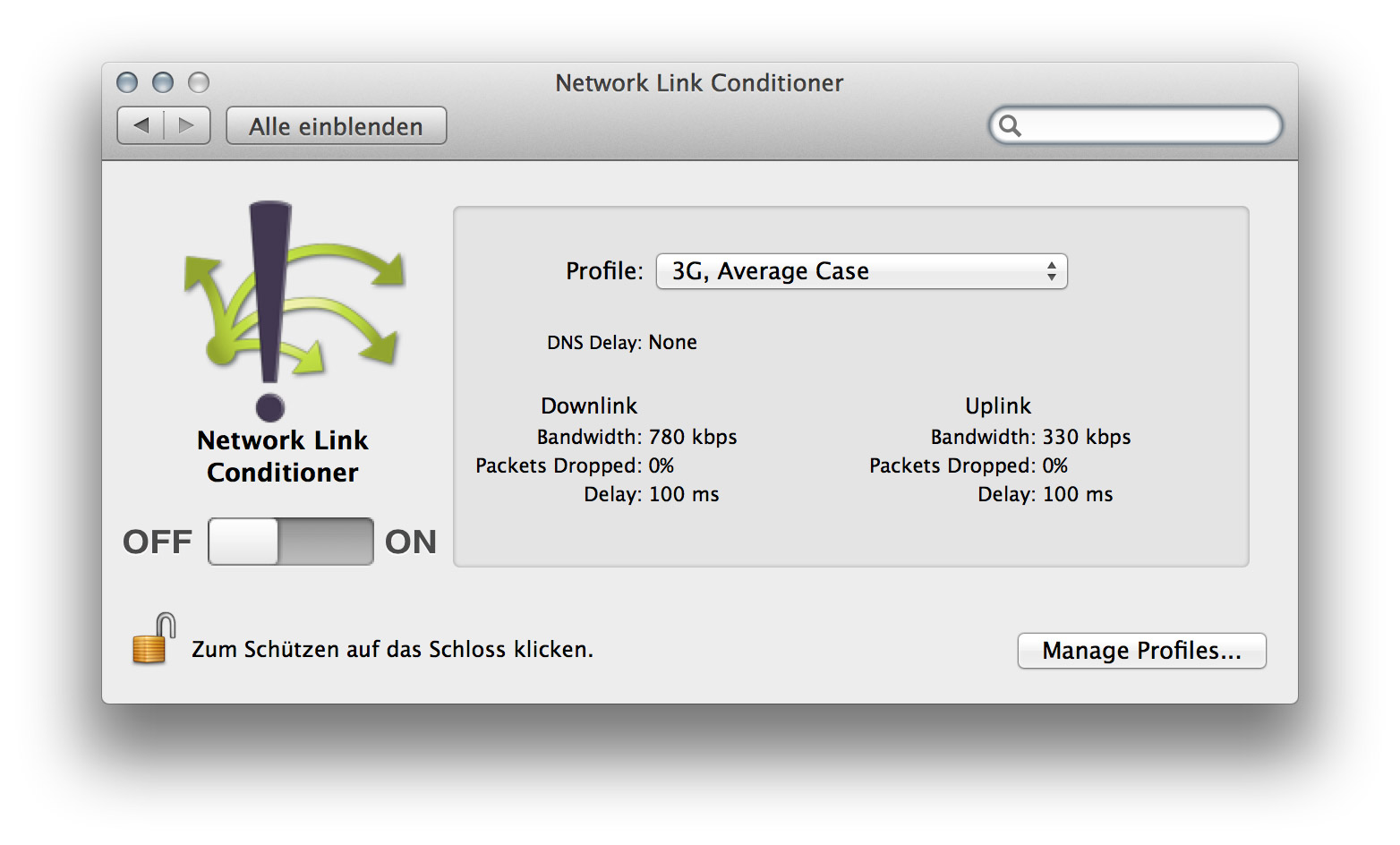
Network Link Conditioner


As more and more people will access your final work on Tablets, Phones and even Laptops with less-than-optimal speed, it is important to test your pages performance on slower network connections. There’s a very handy little tool in Apple’s Developer Tools, which let you set the Connection Speed of your Mac to simulate the average 3G or Edge Network.

To install this preference pane you need to open Xcode, go to the Xcode Menu and choose “Open Developer Tool” and then “More Developer Tools…”, this will take you to the Apple Developer site. Login and then download the “Hardware IO Tools for Xcode” which will download a dmg which contains the Network Link Conditioner, amongst other tools.

Remote Debugging for iOS Devices with Safari

August 25, 2013

I was pretty impressed when i first saw how Ghostlab enables us to remotely debug a design on a mobile device. While Ghostlab can do many other things, remote debugging on an iOS device is also possible directly from within Safari. I’m honestly not sure if this is a new feature or not, but it’s very cool and pretty easy to use.

1. Connect your device via USB
2. On your iPhone, go to Settings / Safari / Advanced and activate “Web Information”
3. On OS X, open Safari and activate the dev tools
4. Open any website on your iOS Device
5. Now you should see your device(s) in the Menu “Developer” in Safari form where you can access the Web Inspector for any open site on your iOS device.

As far as i found out, this is only possible with iOS 6 and up and Safari on a Mac. There’s a similar function in Chrome to remotely debug on Android devices, which i haven’t tried yet, but looks exactly the same.

Ghostlab – Synchronized testing for web and mobile.

August 15, 2013

Ghostlab by Vanamco

If you design or develop for mobile devices you might know the hassle to get a local installation on different devices.

My testing usually covers IE7-9 on Windows via Parallels Desktop, FireFox, Chrome and Safari on Mac OS X, iPhone, iPad and Chrome on a Nexus 7 Android Tablet. To get the same site on all those Systems is possible but not what you would call convenient.

Thats where Ghostlab comes into play. It generates a local “server” which you can access via a local IP address and it works perfectly to view (for example) my local WordPress development installation live on all my devices as well as on Windows under Parallels Desktop. On top of that it syncs your actions, whether they are on your desktop or mobile, so everything you click, scroll or touch will be synced on all devices. Cool stuff.

“Ok, but setup a server on OS X to test on several devices locally isn’t THAT hard, and i don’t need this fancy syncing stuff”, you might say. Yes, but it doesn’t stop there, it also gives you the ability to use Web Inspector with your Mobile Devices. Yes, you heard it right! Inspect your CSS Styles. On your Mobile Device.

Oh, and as a bonus, Ghostlab shows you a QR-Code so you don’t have to type in the IP address manually on your mobile devices, which may be the first example of a QR-code which does something more than wasting space.

The App is developed by Vanamco AG in Zurich and can be bought for 49$ from their website, which is a very fair price if you consider how much time and nerves this little thingy will save you. Of course you can also download a demo version, which i suggest you to do now.

Ghostlab by Vanamco AG
Adobe Brackets: From Design Comp To Code

June 20, 2013

This looks pretty smart. I never really got used to slicing my designs from Photoshop so normally i just create all assets manually. Not very professional, i know. But maybe it’s time to give it another try.