THE PENDING DRAFT

How to Center in CSS

April 20, 2015

Let’s be honest. Centering in CSS can really suck! At least without the use of flexbox. “How to Center in CSS” is a neat little page i found today which helps you choose the right way of centering for different situations (known/unknown width and height, inline or block element etc.) and generates some code to accomplish what you need.

While i like the general idea of this, there are some things that should be improved and that would make it a lot more useful. First, the generated code uses inline-styles, which is just a terrible thing to teach to anyone. Displaying the generated styles in CSS (or even SCSS & CSS) would be a lot better. Second, it would be nice if it would promote the use of flexbox, too. Third, as with most things there are different ways to accomplish the same thing, so a little bit of background information on each technique and why it’s favored over another would be really great.

If you need to center something in CSS and are unsure about which technique to use, then i would still recommend this post on CSS-Tricks. I look it up frequently when i need to center anything, but i could also imagine such a generator to become a really useful tool.

CSS-Tricks – Centering in CSS: A Complete Guide

I ❤ Scanbot

March 18, 2015

ScanBot

Accounting is one of those things most people – me included – hate to do. And even if you have someone else doing it for you, you still have to keep track of and store your receipts and stuff somehow to hand over to your Accountant.

My process up until now was basically photographing the Receipt, getting the Photo on my Mac, making a PDF from it, possibly join some of them into one single PDF, letting OCR over it and then save it with a proper name in the right folder. This really sucked!

Today i found out about Scanbot, which is truly perfect and the price for the PRO-Version was a no-brainer. It scans directly from my phone and directly generates PDF Files. It can directly join multiple scans into one PDF. It does all the OCR and is connected to the proper folder on my Dropbox so i can just sit and wait until my receipts pop up. Yay!

If you don’t use anything like this already, you should check out Scanbot.

Scanbot

You might not need jQuery

March 5, 2015

We often use jQuery just because we’re used to work with it. This page nicely demonstrates how easy some common functionality could be replaced with plain JS.

jQuery and its cousins are great, and by all means use them if it makes it easier to develop your application.

If you’re developing a library on the other hand, please take a moment to consider if you actually need jQuery as a dependency. Maybe you can include a few lines of utility code, and forgo the requirement. If you’re only targeting more modern browsers, you might not need anything more than what the browser ships with.

Definitely something i will come back to next time i’m tempted to implement jQuery just to switch some classes easily.

You might not need jQuery

Useful Mac

March 1, 2015

Useful Mac is a new blog by Garret Murray about tools and tricks for mac users. Here’s what he has to say about it:

And so, dear reader, I look forward to sharing some of this experience with you. I fancy myself someone with good taste, a discerning eye for excellent user experience and design, and someone who loves sharing interesting or useful information with others. Let’s take a journey together toward a prettier, more powerful, more Useful Mac.

I just learned about this tool called Bartender to de-clutter my menu bar, which is really cool. Looking forward to more such things.

Useful Mac

IE8 Linter

February 7, 2015

A little tool to lint websites for IE8 compatibility, with warnings for possible pitfalls and suggested fixes.

I hope i will never have to support IE8 again. But if, this could come in handy.

GitHub – ie8linter

Redacted Font

January 10, 2015

Redacted Font

When building rough Mockups and Wireframes we normally fill text areas with random Lorem Ipsum Text. While this might work perfectly for us, it can confuse clients. First of all, not everyone gets why there’s strange random latin text all over the place, and second if you use just “any” real font it can lead to discussions about font choices too early in the process when you not even started designing those details.

The Redacted Font was created to solve that problem by obscuring text into unreadable blocks. The project is directly inspired by the BLOKK Font which was around for quite some time. David Walsh wrote more about the Redacted Font including some examples on how to use it etc. so i wont go into the details here.

Redacted Font

webdesignrepo

April 1, 2014

webdesignrepo is a curated collection of helpful links from around the web. Primarily the repo is for webdesign links, but there is a large overlap with web development and graphic design.

Huge collection of all kinds of links related to webdesign, sorted in “Daily Visits, Blogs/News, Inspiration, Learning, Tutorials, Snippets, Plugins, Architecture, Tools, Resources and Community”. Definitely something to bookmark!

Am I Responsive?

January 17, 2014

A pretty nice tool that let’s you enter a URL and then displays the page rendered on different viewports.

Am I Responsive?

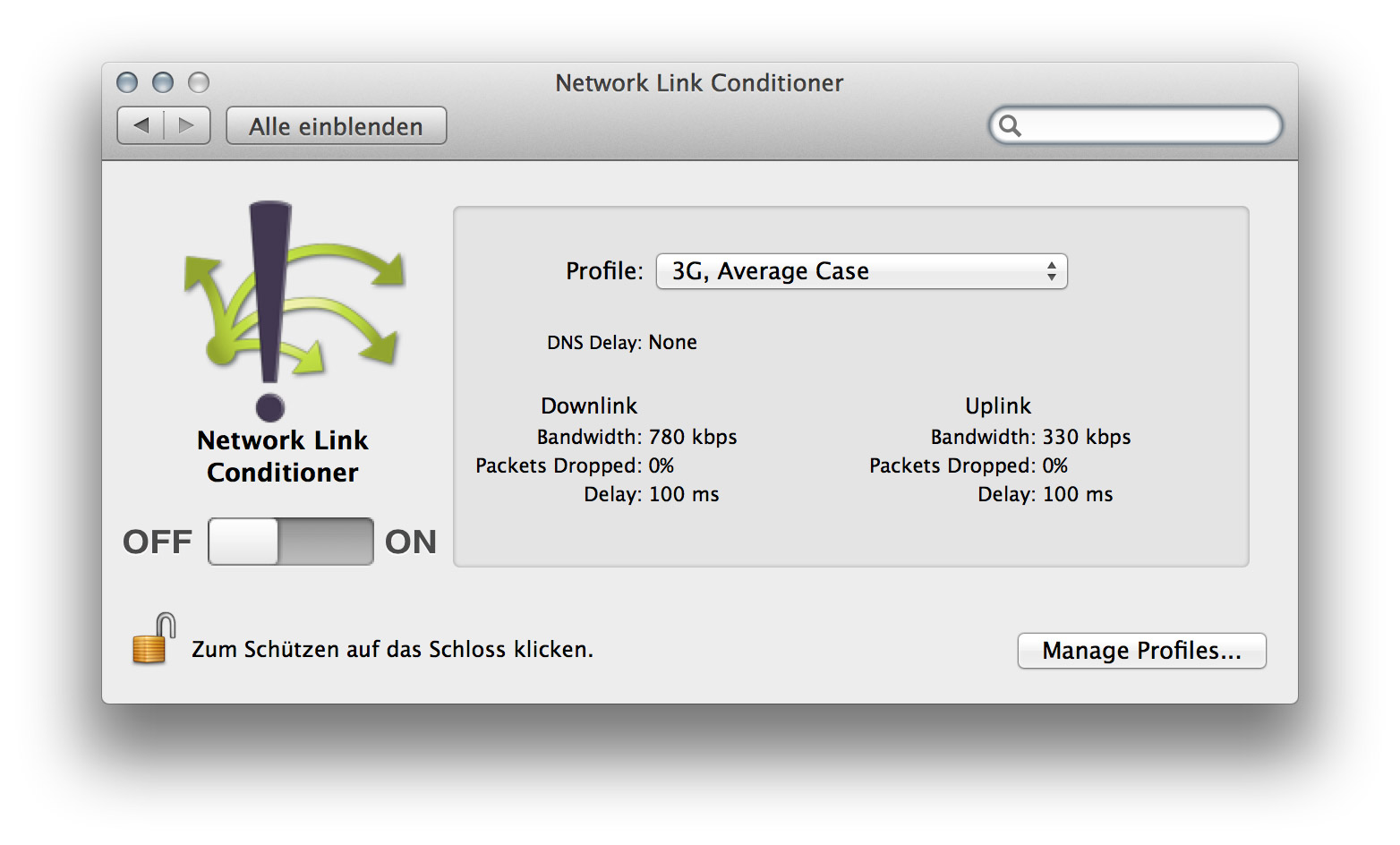
Simulate slower Network Connections with the Network Link Conditioner

September 9, 2013

Network Link Conditioner


As more and more people will access your final work on Tablets, Phones and even Laptops with less-than-optimal speed, it is important to test your pages performance on slower network connections. There’s a very handy little tool in Apple’s Developer Tools, which let you set the Connection Speed of your Mac to simulate the average 3G or Edge Network.

To install this preference pane you need to open Xcode, go to the Xcode Menu and choose “Open Developer Tool” and then “More Developer Tools…”, this will take you to the Apple Developer site. Login and then download the “Hardware IO Tools for Xcode” which will download a dmg which contains the Network Link Conditioner, amongst other tools.